
Best IPTV Android – 4K Streaming, Movies & Sports
In 2025, streaming TV through the internet, known as IPTV, is really taking off. Instead of old cable boxes, people are using Android TV Boxes to watch tons of channels and shows online. But to make it all work well, you need a good app. Some apps are simple, others have lots of extra features. This article looks at the best IPTV Android apps that make streaming smooth.
Key Takeaways
- TiviMate IPTV Player offers a clean interface and advanced EPG support.
- IPTV Smarters Pro is user-friendly with support for multiple playlist types and multi-screen viewing.
- OTT Navigator IPTV provides a highly customizable experience, great for managing many subscriptions.
- XCIPTV Player is a fast, lightweight option with built-in EPG and VOD.
- Perfect Player IPTV is a robust player often used by professionals for its clear menus and advanced display options.
1. TiviMate IPTV Player
TiviMate is a popular choice for many people who use IPTV services on their Android devices. It’s known for having a clean look and being pretty easy to figure out, even if you’re not super tech-savvy.
This app lets you organize your channels and shows in a way that makes sense to you. You can set up custom groups, sort channels manually, and even add your own logos for each channel. It also supports subtitles, which is a nice touch for different viewing preferences.
One of the standout features is its TV Guide, or EPG. TiviMate does a good job of displaying this information clearly, making it simple to see what’s on now and what’s coming up. You can also set up recordings directly from the guide, which is handy if you want to catch a show later.
Here’s a quick look at some of its capabilities:
- Customizable TV Guide: Tailor the EPG to your liking.
- Recording Options: Schedule recordings for future viewing.
- Channel Management: Sort and group channels for easy access.
- Multi-Playlist Support: Add more than one IPTV source.
While there’s a free version available, many users find that upgrading to TiviMate Premium is worth it. The premium version adds features like parental controls, picture-in-picture viewing, and more advanced favorites management. It’s a solid player that offers a lot of control over your viewing experience.
2. IPTV Smarters Pro
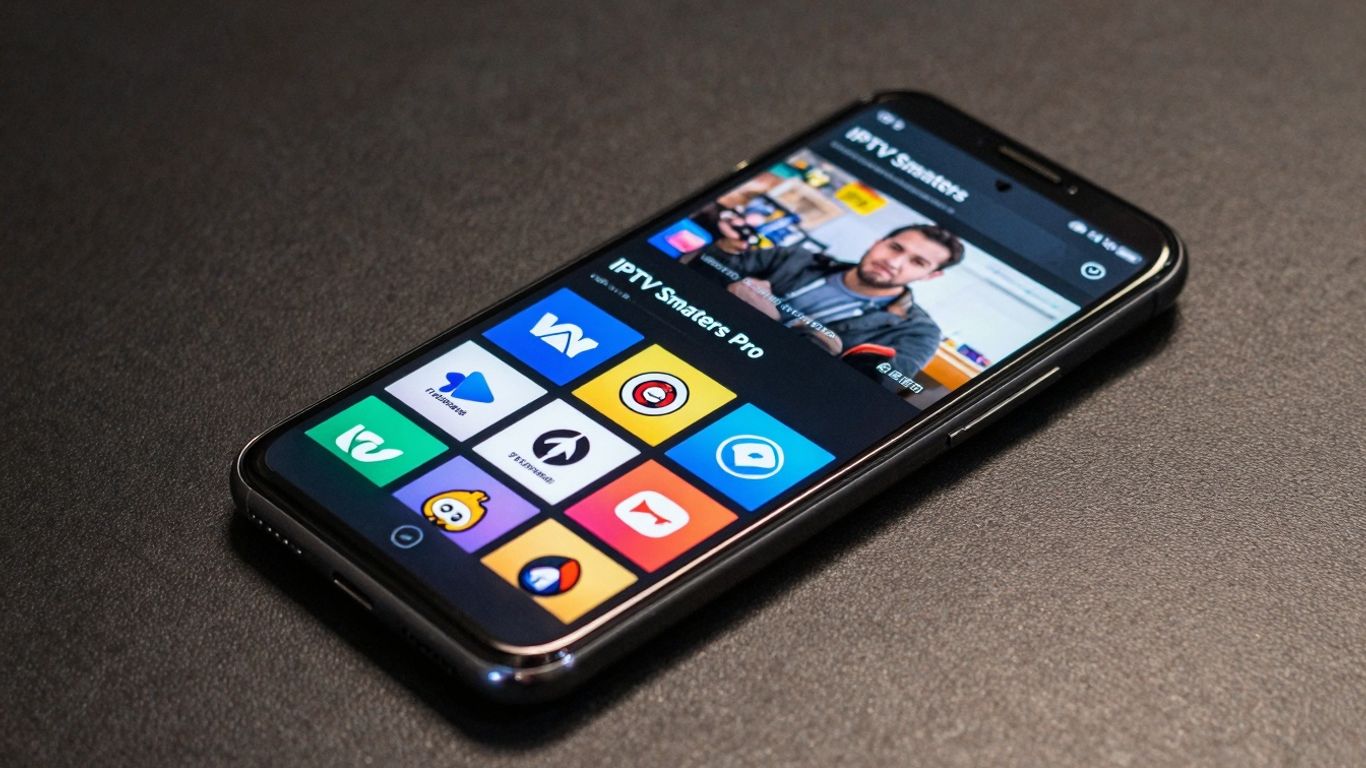
IPTV Smarters Pro has long been a go-to for many IPTV users, and for good reason. It’s known for being a pretty straightforward player that works with most IPTV streaming services. If you’ve got an M3U URL or Xtream Codes API details from your provider, Smarters Pro can usually handle it. It’s a popular choice for IPTV for USA viewers and those looking for an IPTV for Smart TV solution.
One of the things people like is its clean interface. You can easily set up your playlists, manage favorites, and even record shows directly within the app if your provider supports it. It also includes a built-in speed test, which is handy for checking your connection before you start watching.
Here are some of its key features:
- Recording capabilities
- Favorites Manager
- Electronic Program Guide (EPG) integration
- Parental Controls
- Built-in Speed Test
- Multi-screen viewing
This app is available on a wide range of devices, making it a solid option for an IPTV for Firestick or any other Android device. It’s a client app, meaning you need a separate IPTV streaming service subscription to use it, but it acts as a reliable player for that content. Many users find it a great way to organize their channels and VOD content, especially if they have a lot of it.
While IPTV Smarters Pro is a player, not a service, its compatibility with various providers and ease of use make it a strong contender for anyone looking for a good IPTV Android app. It bridges the gap between a complex setup and a simple viewing experience.
It’s also worth noting that Smarters Pro supports external video players, which can be useful if you prefer a different playback engine for your VOD content. For those who enjoy watching IPTV with sports or other live events, the EPG integration helps you keep track of schedules.
3. OTT Navigator IPTV
OTT Navigator IPTV is a newer player in the live streaming scene, and it’s quickly gaining attention. It shares a lot of similarities with other top-tier IPTV apps, especially in how easy it is to get around. The interface is pretty straightforward, which is a big plus for anyone who just wants to watch their shows without a fuss. One of the standout features is its fast playback; buffering seems to be a thing of the past with this app.
While there’s a premium version that unlocks extra features like user profiles and a sleep timer, the free version is still quite capable. Most users will find that the standard options cover what they need for a good IPTV experience. For those looking for more, the premium subscription is reasonably priced, with options for monthly or a lifetime purchase. Signing up for premium usually involves using a companion app.
If you’re using devices like a Firestick or an Android TV box, you might need to install OTT Navigator through a third-party app store, as it’s not always directly available on the main Google Play Store for these devices. This is a common practice for many specialized apps.
Key features often include:
- Support for both M3U URLs and Xtream Codes login methods.
- An integrated Electronic Program Guide (EPG) for channel schedules.
- The ability to use external video players if the built-in one isn’t preferred.
- Parental control options to manage content access.
- Customization options for a personalized viewing experience.
This app is particularly good for users who have multiple IPTV subscriptions or a large number of channels, as its navigation is designed to handle extensive playlists efficiently. It also supports features like Picture-in-Picture (PiP) mode, making it easy to keep an eye on multiple things at once. For those interested in a wide range of content, including IPTV for Europe and IPTV with VOD, OTT Navigator offers a solid platform.
Many users appreciate the app’s ability to manage favorites and quickly search for channels. Its efficient design makes it a strong contender for those who want a streamlined way to access their live TV and video-on-demand content without a lot of extra complexity.
4. XCIPTV Player
XCIPTV Player stands out as a top-tier, completely free IPTV player, making it a fantastic option for both Fire TV and Android TV users. Its primary appeal lies in its zero cost, which is a significant draw for many looking to manage their IPTV streams without additional expense. The player offers a straightforward installation process and presents a user-friendly interface complete with a TV Guide.
One of the notable features of XCIPTV is its compatibility with external video players, such as MX Player. This integration can help reduce buffering issues, leading to a smoother viewing experience. The official website also provides a platform for users to activate accounts, manage their playlists, and configure settings like parental controls.
Key features of XCIPTV Player include:
- MAC Integration
- Support for External Video Players
- Favorites Manager
- Built-in Search Function
- Customer Support
While many IPTV players come with a price tag or offer limited free versions, XCIPTV provides a robust set of features without any charge. This makes it a highly accessible choice for anyone wanting a reliable way to watch their IPTV content.
5. Perfect Player IPTV
Perfect Player stands out as a solid choice for those who want a straightforward yet capable IPTV application. It’s designed with a clean interface that makes it easy to find what you’re looking for, even if you’re not super tech-savvy. This app supports both M3U and XSPF playlists, meaning it works with a wide variety of IPTV services.
One of its strong points is the built-in Electronic Program Guide (EPG), which helps you keep track of what’s on. You can also set up favorite channels and lock specific ones, which is handy. For users who appreciate fine-tuning their experience, Perfect Player offers various settings to adjust playback and appearance. While it handles standard streaming well, it’s also a good option for those looking into IPTV 4K content, provided your device and service support it.
Key features include:
- M3U and XSPF playlist support
- Integrated Electronic Program Guide (EPG)
- Favorites manager
- Channel lock functionality
- Decoder options
Perfect Player is often favored by those who test IPTV services due to its reliable performance and clear display. It’s available on many devices, making it accessible for most users.
It’s a good pick if you want a no-fuss player that gets the job done without a lot of unnecessary bells and whistles. The developers also update it periodically, which is always a good sign.
6. MYTVOnline3
MYTVOnline3 is a specialized IPTV player designed exclusively for Formuler Android TV Boxes. If you own a Formuler device, this app is likely already installed and ready to go. It offers a modern, user-friendly interface that makes browsing through live TV channels and Video on Demand (VOD) content quite straightforward. The app includes features like Picture-in-Picture (PIP) for multitasking, the ability to remove unwanted categories, and recording capabilities.
One of the standout features is its Time Shift technology, which allows users to pause, fast-forward, and rewind live broadcasts. You can even set up recurring reminders for your favorite shows. The developers are actively updating the application, aiming to provide a top-tier live-streaming experience.
Key Features of MYTVOnline3:
- Picture-in-Picture (PIP) support
- Recording and Time Shift functionality
- Customizable category management
- Universal search across content
- Modern and intuitive user interface
While MYTVOnline3 is tied to Formuler hardware, its polished design and robust feature set make it a compelling option for users within that ecosystem. It’s a good example of how hardware manufacturers can create tailored software experiences for their devices, aiming to provide the best IPTV services for USA viewers. The app’s continuous development suggests it will remain a strong contender for Formuler users looking for a smooth streaming experience.
7. Sparkle TV
Sparkle TV is a newer player in the IPTV app scene, but it’s quickly becoming a favorite for many who enjoy streaming live content. It shares a layout and feel with TiviMate, which is a popular choice, and includes features like Timeshift, DVR scheduling, and VOD catchup. You’ll also find a handy “Play next” option on the home screen, making it easy to jump back into recent channels or recorded shows.
While the basic version of Sparkle TV is free, there’s a premium upgrade, Sparkle Plus, that unlocks more features. Things like Favorites management are only available with this paid version, which you can get through the Google Play Store. Even the free version is known for being really fast, with smooth navigation and a built-in EPG that usually works well. It’s a solid option if you’re looking for a clean interface and good performance. Many users find that a good IPTV subscription works great with Sparkle TV.
Key Features:
- M3U/Xtream Codes Support
- Category Setup
- DVR Functionality
- Parental Controls
- Subtitle Options
- Multi-language Support
8. NexTV
NexTV is a newer player that’s been getting a lot of attention. It’s designed with IPTV services in mind, especially for video-on-demand (VOD) content, and it shows off a really clean look, kind of like other popular apps people are used to. You get a nice interface with options for live TV, movies, and shows.
There’s a free version of NexTV, but if you want the full experience, especially for watching movies and shows longer than 30 minutes, you’ll need NexTV+. This premium version costs $19.99 for a lifetime subscription. To get it working, you usually need to sign up through a companion app, which is detailed in their setup guides.
One thing to keep in mind is that NexTV doesn’t have the most user-friendly Electronic Program Guide (EPG) right now, though hopefully, that’s something they’ll improve soon. It does support Xtream Codes, making it compatible with many IPTV providers. If you’re looking for a modern interface for your streaming, NexTV is definitely worth checking out. You can find more details and installation help on the NexTV official website.
Key Features:
- Xtream Codes support
- Modern, attractive design
- Watchlist functionality
- Channel grouping options
- Content recommendations
9. Televizo
Televizo presents itself as a solid choice for those looking to stream IPTV content on their Android devices. It’s designed with a modern look and aims for user-friendliness, which is always a plus when you just want to watch something without a fuss. The app supports both M3U URLs and Xtream Codes, making it compatible with a wide range of IPTV services.
One of the nice things about Televizo is that it offers a free version, but to get the most out of it, a premium subscription is available. This premium tier unlocks features like ad removal, automatic full-screen viewing, parental controls, and backup/restore options. It’s not overly expensive, either, with pricing around $1.99 per month or $11.99 annually. Even the free version works pretty well, though.
Televizo is actively developed, meaning the team behind it is regularly adding new features and making improvements. This kind of ongoing support is important for an app like this. It’s available on various platforms, including Firestick, Fire TV, and Android TV boxes, as well as mobile phones.
Key features include:
- M3U and Xtream Codes integration
- Automatic updates
- Parental controls (premium)
- Backup and restore functionality
- Auto frame rate adjustment
While Televizo offers a good experience out of the box, the premium version really smooths things over by removing ads and adding useful management tools. It’s a straightforward app that gets the job done for most IPTV users.
10. Kodi (via IPTV Client)
Kodi is a name many people recognize, especially if they’re into streaming movies and shows. But did you know it’s also a pretty capable IPTV player? If you’re already using Kodi with various add-ons, adding your live TV service is straightforward. You can easily input an M3U URL playlist, and suddenly, all your channels are accessible right there.
Unlike some other apps that pack in tons of settings, Kodi keeps things simple. It focuses on the core features, giving you options for subtitles, color adjustments, and audio settings. The live TV channels even show up directly on the home screen, so you don’t have to dig through menus to find what you want to watch.
It’s a flexible option for those who want to consolidate their streaming into one place.
Here’s a quick look at what it offers:
- Live streaming and Video on Demand (VOD) in a single application.
- Easy integration with your existing IPTV service.
- Electronic Program Guide (EPG) support for channel schedules.
- Simple navigation that doesn’t overwhelm.
While Kodi itself is free and open-source, remember that the content you access through it depends entirely on the IPTV service and playlists you add. Always ensure you are using legitimate sources for your streams.
Wrapping Up Your IPTV Journey
So, we’ve looked at some solid apps for watching IPTV on your Android device. Whether you’re after something with lots of options like TiviMate or a simpler choice like IPTV Smarters Pro, there’s definitely something out there for everyone. Picking the right app can really change how you watch TV. It’s all about finding what works best for your setup and what you like to watch. Don’t forget to check out devices that work well with these apps, too. Happy streaming!
Frequently Asked Questions
What exactly is IPTV and how does it work on an Android TV Box?
IPTV stands for Internet Protocol Television. It’s a way to watch TV channels and shows using your internet connection instead of traditional cable or satellite. An Android TV Box acts like a small computer that connects to your TV, and it can run special apps that let you access these IPTV services. Think of it as streaming TV over the internet.
Are IPTV players legal to use?
Yes, IPTV players themselves are legal. These apps are like video players, similar to VLC or MX Player. They don’t provide any TV content on their own. The legality depends on the IPTV service you use to get your channels. It’s important to choose a service that has the rights to broadcast the content it offers.
Do I need to pay for an IPTV service in addition to the app?
Generally, yes. While many IPTV apps are free to download and use as players, they require you to have an IPTV subscription or playlist from a provider to actually watch channels. Some apps might offer limited free content or require a one-time purchase for premium features, but the actual TV channels usually come from a separate service.
What is an EPG and why is it important for IPTV?
EPG stands for Electronic Program Guide. It’s like the TV guide you get with cable, showing you what shows are on, what’s coming up, and descriptions. A good EPG makes it much easier to find what you want to watch and plan your viewing, especially when you have access to many channels.
Can I use multiple IPTV services with one app?
Many of the top IPTV players allow you to add and manage multiple IPTV subscriptions or playlists within a single app. This is very convenient if you subscribe to different services or have playlists from various providers, as it keeps everything organized in one place.
What’s the difference between IPTV and services like Netflix or YouTube?
Services like Netflix and YouTube are called OTT (Over-The-Top) services. They stream content directly over the public internet. IPTV, on the other hand, often uses more controlled or private internet networks and typically requires a subscription with login details to access live TV channels and on-demand content, similar to how cable TV works but delivered online.